Overview
Ad Studio turns a business outcome into a campaign pack tailored to the selected advertising platform. Asteria Engine uses workspace brand settings, contact intelligence, destination research, creative references, targeting signals, and platform requirements to prepare the copy, assets, and campaign fields for review.
Use Ad Studio when you want to create or improve paid campaigns across supported providers such as Meta, Google Ads, LinkedIn, TikTok, Pinterest, and X. Exact publishing support depends on the provider API, account permissions, and the campaign type selected.
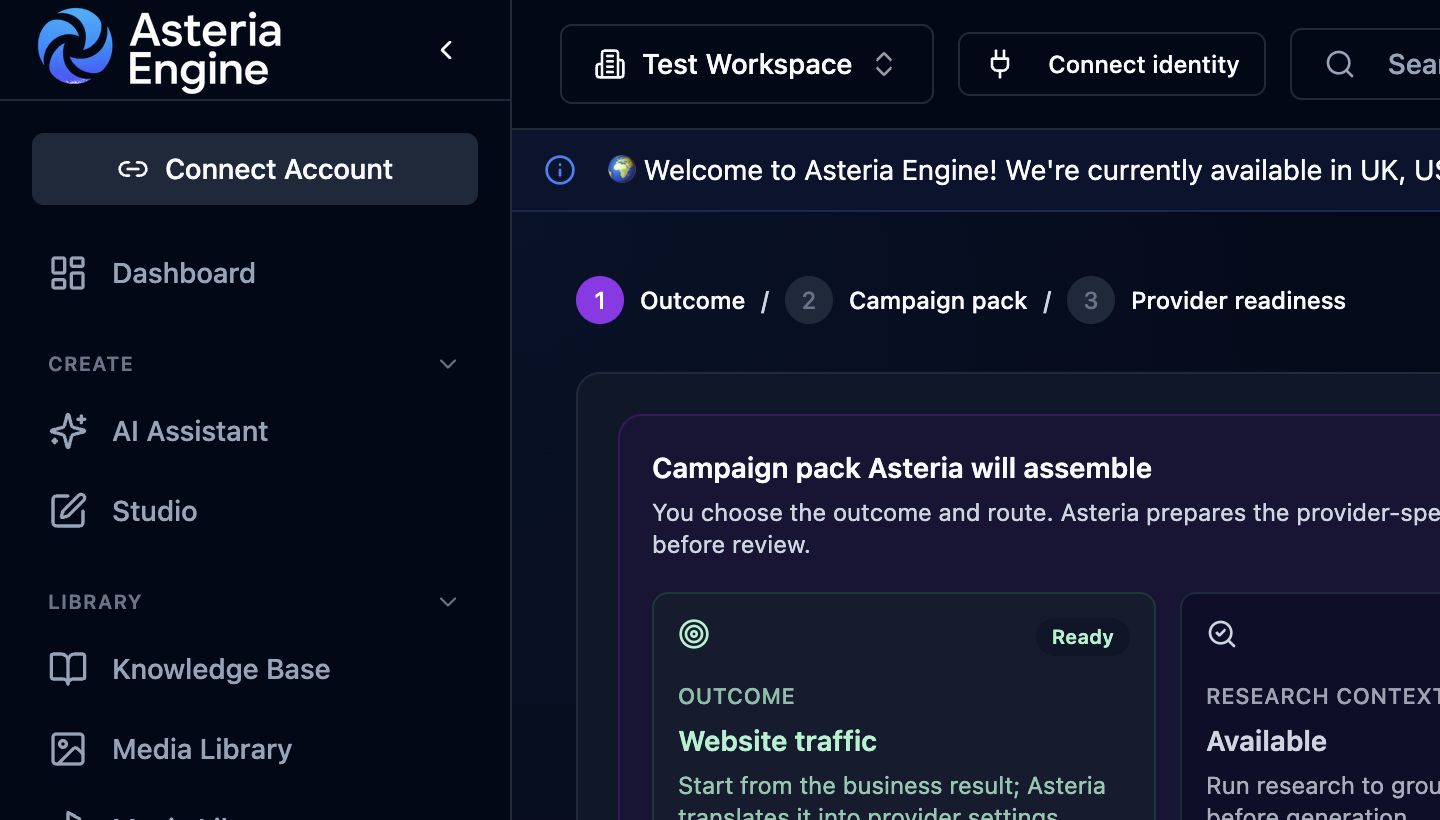 1. Choose the campaign outcome. 2. Review the generated campaign pack. 3. Resolve the publishing requirements before continuing.
What Ad Studio prepares
A campaign pack can include:
- objective and route selection
- primary text, headlines, descriptions, CTAs, and destination fields
- image, video, carousel, or provider-specific asset groups
- product and lifestyle creative references
- targeting signals, exclusions, and search themes
- provider readiness checks
- brand-safety checks before publishing
- publish blockers and asset-gap actions
The review screen keeps provider requirements alongside Asteria’s brand, research, and automation context.
Brand and contact context
Ad Studio works best when the workspace has strong setup data:
- brand voice and positioning
- target audience and geography
- offers, proof points, and product details
- website and landing-page URLs
- contact intelligence, including sign-up, booking, quote, phone, and support paths
- product library and media library assets
When a CTA is selected, Asteria uses the closest matching destination available in contact intelligence. For example, Sign Up uses a sign-up URL, Book Now uses a booking URL, and Call Now uses a phone number when those details are configured. A generic contact page is used only when a more specific destination is unavailable.
Campaign packs for each advertising platform
Different ad providers need different assets.
Meta campaigns often use a primary text, headline, description, CTA, destination, page identity, creative media, and optional carousel card-level text. Lead routes may require native lead forms or message destinations.
Google Performance Max campaigns need a fuller asset pack: short headlines, long headlines, descriptions, images across supported shapes, videos, sitelinks, callouts, structured snippets, logo assets, business name assets, search themes, and audience signals.
LinkedIn, TikTok, Pinterest, and X have their own route fields, creative shapes, lead flows, and review constraints. Ad Studio presents the relevant provider requirements in the campaign pack.
Review and editing
Before publishing:
- Review the campaign pack summary.
- Review the copy, assets, targeting, and publishing requirements.
- Inspect generated media in the preview.
- Regenerate individual assets when needed.
- Fix blocking asset gaps.
- Confirm budget, dates, account, and destination fields.
- Publish only when readiness checks are clear.
For running campaigns, edits may be direct, review-gated, or provider-limited depending on the platform. When a change cannot be applied through the connected provider, Asteria prepares an action pack for manual review.
Good practice
- Start from the business outcome, not from a format.
- Use the CTA path you want the audience to take.
- Keep images and video tied to the offer or audience pain.
- Avoid generic dashboards unless the product moment is genuinely the point.
- Use carousel cards to tell different parts of the message, not to repeat the same headline.
- For Performance Max, include enough asset variety before publishing.