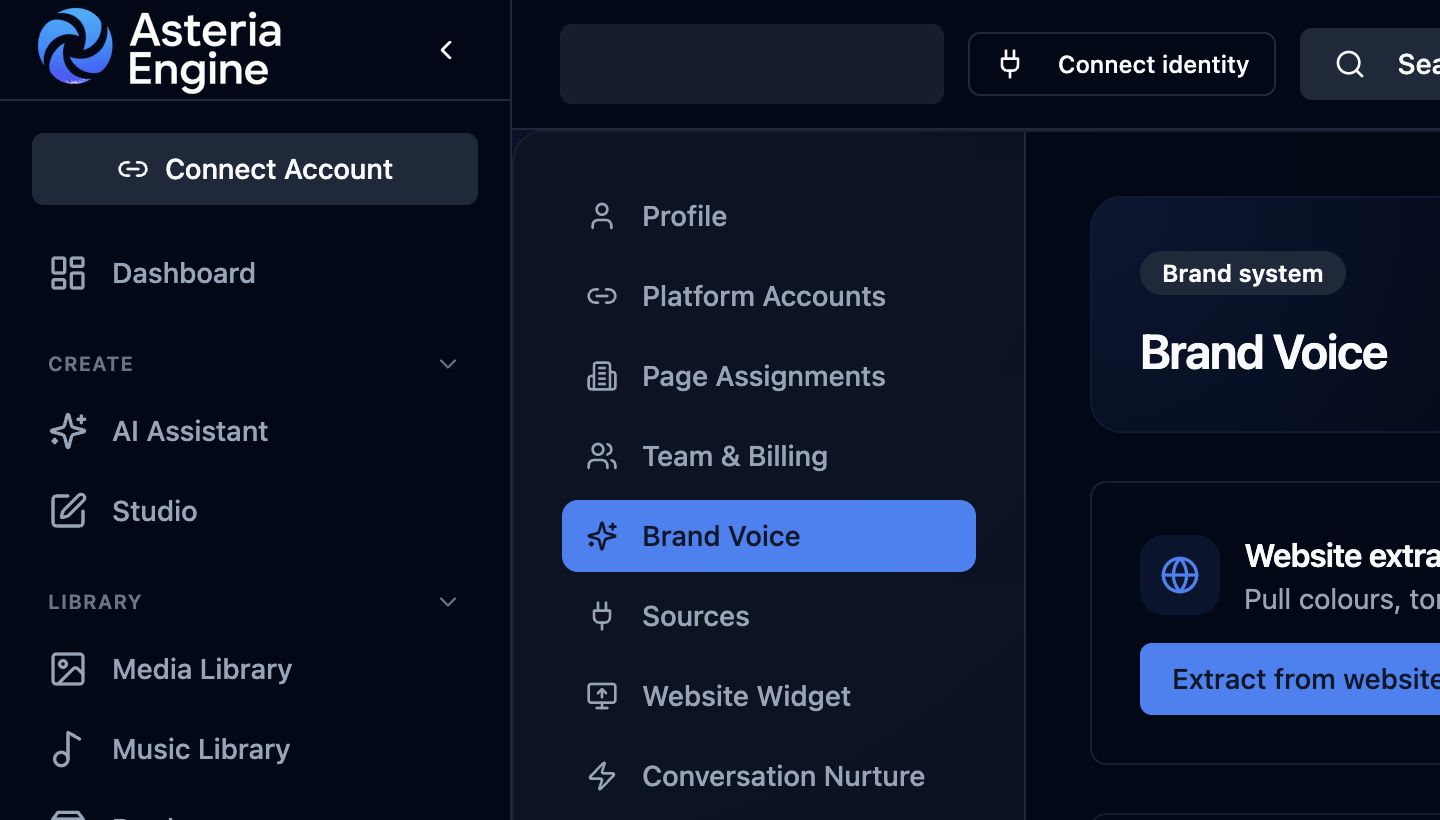
 1. Open Brand Voice in Settings. 2. Review or extract the brand context before choosing how the brand should be represented.
Overview
Brand Type tells Asteria Engine what kind of identity it is writing for.
Companies, professionals, founder-led businesses, and creators need different context. The setting changes how Asteria uses names, proof points, products, career context, visual references, and content boundaries when it drafts posts or generates media.
Use this guide when setting up Brand Context & Guardrails, especially after extracting brand information from a website or social media profile.
The Four Brand Types
| Brand Type | Best for | What it unlocks |
|---|---|---|
| Business / Organization | Companies, agencies, local businesses, SaaS, charities, ecommerce brands | Company-first language, product/service positioning, brand colours, logos, offer-led content, platform account publishing |
| Professional / Personal Brand | People building authority around their work or career | Role, expertise areas, portfolio links, proof points, project-led posts, career journey content, stricter confidentiality boundaries |
| Hybrid (Founder-led business) | Businesses where the founder is part of the trust signal | Company and person context together, founder-led commentary, associated brands/products, selective use of headshots and business assets |
| Content Creator | Creators, educators, influencers, public personalities | Series continuity, creator identity, recurring formats, personality-led captions, audience relationship cues |
Business / Organization
Choose this when the social accounts represent a company or formal organisation.
Asteria prioritises:
- company name and services
- customer problems and offers
- website positioning
- product and service pages
- connected social channels
- brand colours, logo, and visual assets
- calls to action such as Book, Buy, Sign up, Call, or Learn more
This is the safest default for local businesses, agencies, ecommerce stores, professional services firms, and B2B companies.
Professional / Personal Brand
Choose this when the account represents a person first.
This mode is designed for professionals such as software engineers, cybersecurity engineers, designers, consultants, tradespeople, educators, healthcare professionals, and people looking for work or clients.
Asteria can use:
- role or positioning
- expertise areas
- content pillars
- portfolio URL
- LinkedIn URL
- GitHub or work URL
- project proof points
- certifications, talks, case studies, or shipped work where visible
- content boundaries that prevent unsafe claims
The goal is to help the person share work, lessons, projects, and professional opinions without inventing employers, client names, private repositories, salaries, certifications, or unverifiable outcomes.
Hybrid (Founder-led Business)
Choose this when the business is real, but the founder or lead professional is part of the public trust signal.
Hybrid mode helps when:
- the founder is visible on the website
- the brand sells through personal credibility
- thought leadership and company offers need to sit together
- the same account may post both personal insights and business updates
Asteria uses associated brands/products to avoid stamping the person’s name on every image or overlay. It can still use the founder when the content is personal, educational, or trust-led.
Content Creator
Choose this when the account is built around a creator identity, recurring series, or audience relationship.
Asteria uses this mode to support:
- recurring formats
- audience-facing tone
- personality-led captions
- creator continuity across posts
- series names and creator-led hooks
Creator mode is useful when the account is not mainly a company page and not mainly a traditional professional profile.
Associated Brands and Products
Associated Brands / Products tell Asteria which names to prefer in visuals, overlays, and prompts.
Use this field when:
- a professional also runs a product or company
- a founder-led business has named services or products
- a creator has named series, communities, courses, or offers
- avoid repeating the person’s full name on every asset
Good examples:
Asteria Engine, Asteria Engine StudioClean Air Pro, ODEOCyber Mondays, SecureOps NotesPortfolio Review Series, React Clinic
Professional Presence Fields
Professional and Hybrid brands unlock extra fields that shape career and authority content.
| Field | What to add |
|---|---|
| Role or positioning | The person’s public role, e.g. Software Engineer, Cybersecurity Analyst, Product Designer |
| Primary goal | Whether the content should win clients, build authority, find work, sell products, or grow an audience |
| Expertise areas | Skills, sectors, tools, frameworks, disciplines, or specialisms |
| Content pillars | The repeatable themes Asteria uses for planning and generation |
| Proof points | Shipped projects, measurable outcomes, certifications, talks, GitHub repositories, case studies |
| Boundaries | What Asteria must not mention or claim |
Auto-Fill from Website and Social Media
When you use website or social extraction, Asteria attempts to fill Brand Type and the related fields automatically.
It looks for visible evidence such as:
- company wording
- founder or personal profile language
- product and service pages
- portfolio pages
- social bios
- public project links
- creator series names
- repeated topics and proof points
Always review extracted details before relying on them. The workspace owner remains responsible for confirming the final positioning.
Recommended Setup Flow
- Run website extraction.
- Run social extraction if social profiles are available.
- Confirm the Brand Type.
- Add associated brands or products.
- Fill any missing professional presence fields.
- Add content boundaries.
- Generate a test post and check whether the output sounds like the account.
Common Mistakes
| Mistake | Result |
|---|---|
| Leaving a personal brand as Business / Organization | Posts become too company-like and miss career proof |
| Setting a company page as Professional / Personal Brand | Asteria may overuse the owner’s name |
| Skipping boundaries | AI may make claims the person or business has not proven |
| Leaving associated brands empty for Hybrid accounts | Visuals may over-stamp the founder’s name |
Related Guides
- Getting Started Guide
- AI Content Generation Guide
- Ecommerce Product Library Guide
- Reviews to Posts Guide